When something is said about a "Gaming PC", this is what immediately comes to mind for most people. Some unmarried twenty-something, sitting in a darkened room with several thousand of dollars worth of computer, pizza boxes, chip bags and Mountain Dew cans! I guess, that'd be right in most cases but, I'm here to tell you that it doesn't have to be that way..... at least in the thousands of $$$ end of things. What? Is the Frugal Propellerhead branching out and about to start playing games? Not so much. Let me explain.

??? It goes back some time ago when my school's librarian asked me to look at a Dell Inspiron XPS M1530 that was acting up. It belonged to her teenage son.... well actually, that's not quite right. Note that it's pink. Apparently what happened was that her other son sent the younger brother his girlfriend's old laptop, that she had used, and abused and cast aside, so that they could play games together online. Kind of a cool idea, but the abused part had taken it's toll on this nVidia GPU'd (!!!) machine. And of course the chip was failing, succombing to the infamous nVidia chip failures of that generation. It worked for him a a couple of months, then lived for about 6 more months after I "reflowed" it with a torch, but then ultimately died again. So, little brother gave up on the machine and it went to live in a closet. However, as it turns out, that wasn't the end of the story. I vaguely remember telling them that he was better off with a desktop rig and I'd help him put it together when he saved up some money. In the movies; your hero rubs the kid's head, who shuffles off with his hands in his pockets and the scene fades to black. Then about a week ago, the librarian emails me that the boy had taken my advice to heart and now has $600 accumulated and wants to know when we can get started!

So anyway..... after I got over myself (yup, that's the look I probably had looking at my Outlook), I said; sure, I'll be happy to help (or something to that effect), and I'd get back to them after a little bit of research! Meaning, I'm going to have to bone up on all things gaming and the current state of desktop hardware... which by the way, is NOT what I normally use and make a business out of recommending to people. What follows, is what I've learned over the course of the last week and about to start the process of turning it into an actual computer.

As you've no doubt already told yourself: "IS HE CRAZY"!?! $600 isn't enough to put together a decent gaming rig! But, never fear..... FRUGALMAN IS HERE!!! So lets start with the fact that, I plan to cheat. In the image above is a Cooler Master ATCS 201 which is a VERY nice all aluminum case. If you aren't familiar with this now defunct series (at least around here) from Cooler Master. Think, Lian-Li. My impression is that they tried to see if they could compete in the boutique aluminum case market and decided that there was more money to be made in other areas. Anyway, there's one of them sitting in my garage. Not because I had a use for it. Because it was $35 on Craig's List with a RaidMax 640w modular power supply included! It originally sold for over $200 (case alone)! My plan is to build in it, using that RaidMax P/S and if he decides to go with something else down the road, then so be it. We just don't have to worry about those items now.

Then came the big question: To Haswell, or NOT To Haswell? After two days straight of reading every chance I got, I came to the conclusion that Haswell is:
- Too expensive to fit in a $600 budget.
- Too new for any really good deals to be had.
- Too few benefits to be derived for a low-to-mid level gaming machine.
Sure, there are benefits. Clearly, it's the most future-proof, and it absolutely is the most efficient in a power-in vs. power-out equation. But in the end, the question to be answered is; what is this kid going to get the most bang for his gaming buck at his price-point.

This became very clearly, a Sandy Bridge Core i5 processor on a Z77 Intel Platform. Yes, yes; I can hear the AMD supporters popping their Cheetos bags now. I know it's cheaper, and you can get more "cores" for your money. However, at the end of the day, you know (as does everyone in the industry), that AMD hasn't been able to touch Intel's mid-to-high-end line since the day the evil empire went to their 2nd Gen "Core" chips. The gap keeps widening as we get into the "Ivy Bridge" series and AMD completely has nothing in the works that can challenge "Haswell". I'm no Intel fanboy, having used AMD for years going back to my "Barton" build, but I just have no loyalty on this sort of thing and absolutely will go with whoever gets me the most computing power for the money. So, that aside; why that chip on that platform?

The socket 1155 on the Z77 platform will give pretty much all the "modern" features (eg. USB 3.0, SATA-III/6.0) that people want without the price of the 2011 and Z87/Socket 1150 boards. It will also take the 2nd Gen Sandy Bridge as well as the still current Ivy Bridge CPUs, thus giving upgrade potential. In this market-space there are a number of attractive options ranging from the rather low-end Asrock/ECS boards to the other end of Asus/Gigabyte models. Then you get into the sub-models which address all manner of arcane features mostly having to do with overclocking. Be that as it may, this is where I decided the fat part of the price/benefit curve is at the moment which fits into the kid's budget.

Then, on to the CPU. This was a whole new world to me, since I've just now managed to master the miriad number of SKUs of Intels CoreDuo, Core2Duo lineup. So, I now had to learn Intel's "Core" line. Of course, given our platform choice, we've leapfrogged the first (Nehalem) series (3 digit Core, eg. i5-xxx) and move right on to the Sandy Bridge series. Remember; this is a budget build and there isn't enough room to move on to the Ivy Bridge chips. It became fairly evident, that i5 was going to be the way to go. You get quad cores, with plenty of cache, without paying for cores and speed that he won't use in the i7s. Obviously, the budget i3 weren't under consideration unless I simply couldn't find a good enough deal. I'm not even going to address that here, assuming that my readers will already know why.

Then came The Package..... Sometimes, you just get lucky and things fall into place for you and life is easy. This was one of those. Part of what made my decision for me was that while I was researching, I was also looking on eBay to see what the price-points were looking like on the used front vs. buying new. Don't tell anybody that I said this; but sometimes, new ends up being the way to go.... shhhhh.... but not this time. I ran across an eBay listing with an Asus P8Z77v-Pro board, with an i5/2500K (unlocked) CPU, AND 8Gb (2 x 4Gb) of Corsair Vengence DDR3 RAM, all nicely matched and sold together with no bids and starting at $300. After very little activity (4 bids total), I got it for $355 ($340 + $15 shipping). We're talking about a year old equipment at $100-150 less than retail.

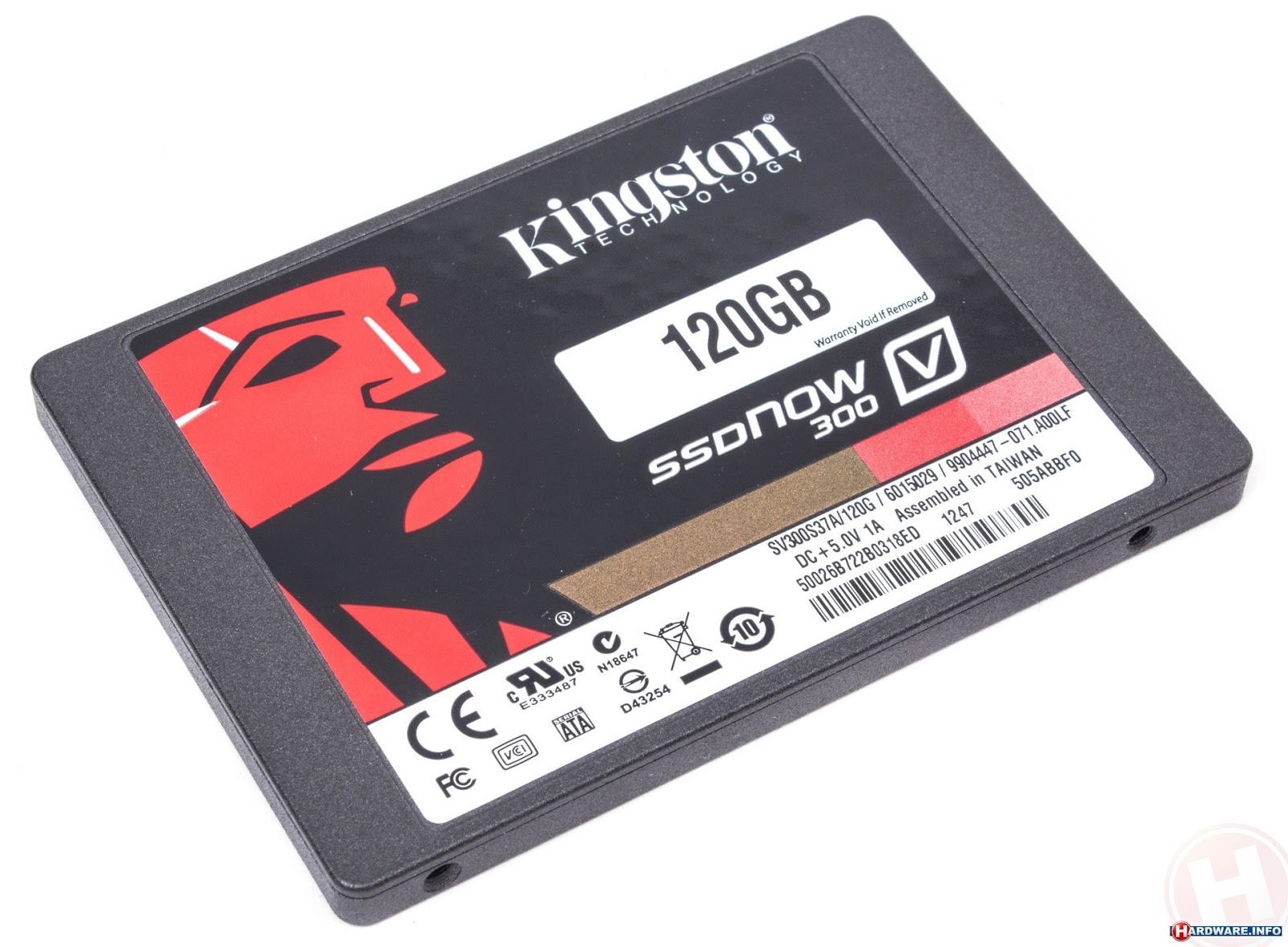
Now that we've spent over half the $600, what else do we need to do? Well, I sent him a series of links to spend the bulk of the $245 he has left. The most important of them is the boot drive for which I'm recommending a 120Gb SSD. For mass storage to go with that, I recommended a 1Tb/7200rpm Toshiba mechanical drive. As I've discussed before, these days, I'm routinely recommending to buy Toshiba desktop drives because they are really Hitachi DeskStars coming out of a Hitachi factory in China that have been rebranded as Toshibas but, sell for less! There's an explanation in an earlier post regarding this situation, so I'm not going to go through that here. I'm also having him pick up a plain-Jane optical drive/burner to load software and burn disks, which pretty much rounds out the necessities.

I know, I know....the heart of a gaming rig..... the Graphics card. You do know that beginning with the Nehalem "Core" processors Intel had DMI (direct media interface) built-in to the chip, right. Now I didn't say that it was good graphics processing, but by the Sandy Bridge chips with their 2000/3000 onboard GPUs, it was decent. No, not for Crysis 3, or Bioshock, but for old Star Wars games.... which by the way, is what he mostly plays right now.... integrated graphics will work.... for now.

In the meantime, I'm going to have him put stuff on the all-important Christmas List! Things like a AMD Radeon HD 6850, or 7790. Whoa.... slowdown there nVidia fans, here's my take on that stuff. It's not a clear-cut Intel is kicking the stuffing out of AMD situation here. It's a there's so little to give between the two big boys in this area, it completely doesn't matter in the "mid-price" ($125-175) graphics card market-space that I'm just going to cut down on the amount of work I have to do. So I pick AMD because I already know quite a bit about them.... especially the "Southern Island" series. What else is there?
I know this is an area near and dear to the hearts of gamers everywhere. That is their peripherals. And again, I'm going to one of my little tricks:
That's right.... he has a birthday between now and Christmas! Did I mention that I was going to CHEAT! Yup, between those two very important celebrations, I would suspect that he'll be able to nail virtually every other necessity to fulfill a teenage gamers desires! So....., that's a wrap, right?

.......Well, not completely. Some of you may even be doing some mental math and have about a $75 hole not accounted for..... No, it's not for a cheap-o monitor. It's for things like adapters, cables, card readers and other various items. Then, what about a monitor? I'm embarrassed for you that you should have to ask the "king" of $15-25 monitors! What we're going to do is to either snag one, if it conveniently appears on Craig's List (or somewhere else), or we are going to use one of the old CRTs that they already have at their house. That's right, you didn't misread that...... C R T, as in Cathode Ray Tube. They still work! What we're going to do, is to use whatever we can find for free or othewise ridiculously low price, then when the correct time comes that some generous grandparent, or other family member is willing to check the monitor box on the aforementioned Christmas/Birthday Lists, then this monitor will become a "side" screen on the "Super-Frugal-Gaming-Rig"!!!

YEA.... WE'RE DONE.... FOR NOW!